In my previous blog post on Db2 vector index support, I included two queries with their respective access plans. For the sake of testing my options, I asked IBM Bob to explain to me in simple English the “explained query” that I provide to you as r24_nested.sql.explained.
Here is my input as prompt:
explain, in simple English, the Db2 access plan and “explain output” available in file @r24_nested.sql.explained
And here, for your pleasure / education / interest, the answer I received.
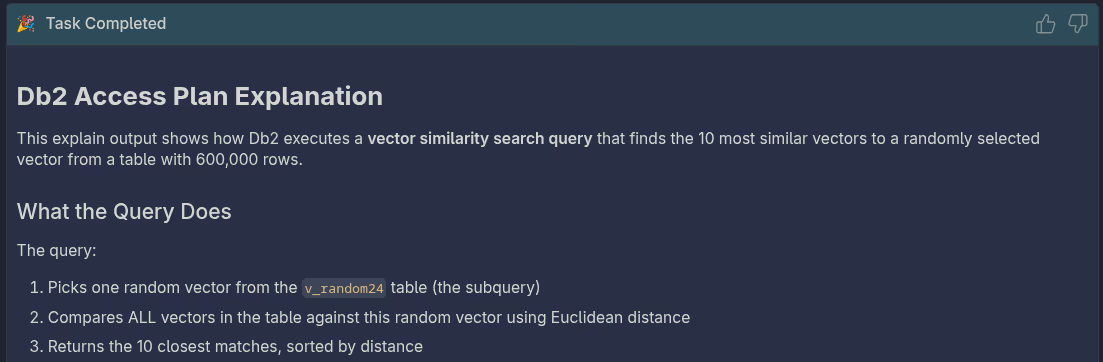
Db2 Access Plan Explanation
This explain output shows how Db2 executes a vector similarity search query that finds the 10 most similar vectors to a randomly selected vector from a table with 600,000 rows.
What the Query Does
The query:
- Picks one random vector from the
v_random24table (the subquery) - Compares ALL vectors in the table against this random vector using Euclidean distance
- Returns the 10 closest matches, sorted by distance
How Db2 Executes It (Reading Bottom-Up)
Step 1: Vector Index Scan (IXSCAN - Operator #7)
- Uses the vector index
V_RANDOM24_INDEXto efficiently search for similar vectors - Uses DiskANN algorithm with:
- Beam width: 2 (how many paths to explore simultaneously)
- Search list size: 50 (candidate pool size)
- Cost: 421.312, reads ~60 pages
- Finds approximately 10 candidate rows using the vector index
Step 2: Fetch Data (FETCH - Operator #6)
- Retrieves the actual
IDcolumn from the table for the 10 candidates found by the index - Cost: 491.622, reads ~70 pages total
- Uses sequential prefetch with readahead for efficiency
Step 3: Get Reference Vector (TBSCAN - Operator #5)
- Scans the table to get the random reference vector (the subquery result)
- Cost: 2526.83, reads 2,099 pages
- This is expensive because it’s a full table scan to get one row
Step 4: Join and Calculate Distances (NLJOIN - Operator #4)
- Nested Loop Join combines the reference vector with the 10 candidates
- Calculates
VECTOR_DISTANCE()for each of the 10 rows - Cost: 498.671
Step 5: Sort Results (SORT - Operator #3)
- Sorts the 10 results by distance (ascending)
- Uses “truncated sort” optimization since we only need 10 rows
- Cost: 498.673
Step 6: Return Results (RETURN - Operators #2, #1)
- Final table scan and return of the sorted 10 rows
Key Performance Insights
Total Cost: 498.673 (relatively efficient for 600K rows)
The Good:
- ✅ Vector index is being used - this is critical for performance
- ✅ Only 10 rows are fetched from the table (not all 600K)
- ✅ Truncated sort optimization applied
The Bottleneck:
- ⚠️ The subquery (getting the random vector) does a full table scan (2,099 pages)
- This is the most expensive part of the query
Why It’s Efficient Overall:
The vector index (V_RANDOM24_INDEX) allows Db2 to find the 10 nearest neighbors without comparing against all 600,000 vectors. Instead of 600K distance calculations, it uses the DiskANN graph structure to navigate directly to similar vectors.
Summary
This is a vector similarity search using a specialized vector index. The query efficiently finds the 10 most similar items out of 600,000 by leveraging Db2’s vector index capabilities, though the nested subquery for getting the reference vector adds some overhead.
