Back in 2021, in my blog post My best practices: How to search Db2 documentation, started like this:
I often answer technical product questions, for Db2 and IBM Cloud topics. To provide relevant links and to back up my “hunch” after reading a question, I typically search the relevant documentation. But what are efficient ways to search in the Db2 documentation? What are good ways to find the relevant parts in the IBM Cloud documentation? Here are my best practices on searching documentation.
Not much has changed in the challenge and in my approach towards finding the relevant parts in the IBM Documentation. I only refined some techniques based on how the documentation portal evolved. Here is my current “How to search”. Did you know that the IBM Documentation has its own documentation, including a Searching in IBM Documentation?
Search for topic not content
When answering questions on specific features, it is often the details which I have to look up. Most of the time, I know where to find that missing part to complete the puzzle. In that case, I can benefit from the so-called Table of Contents filter. It allows to filter the table of contents (on the left side) by titles on first and second level.
The following screenshot shows how I typed in “create table”. It results in pages with those words in the title offered. Next, I would click on CREATE TABLE in the “SQL” section of the database reference content.
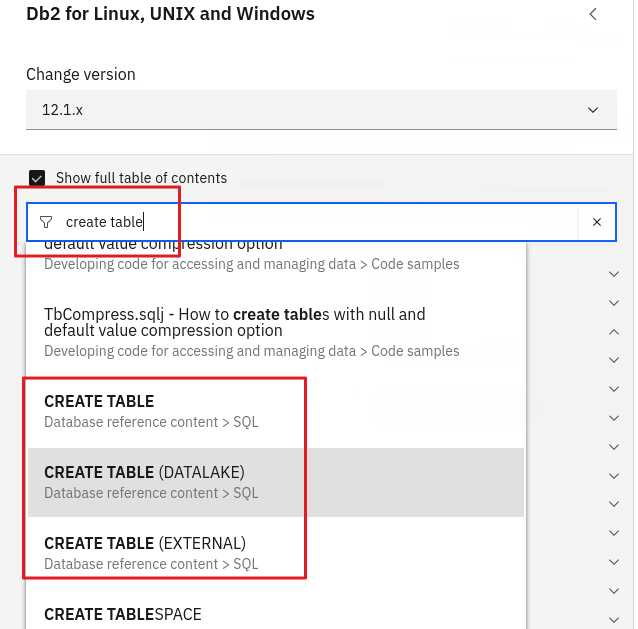
By searching for a topic, not the content, I can directly jump to the right documentation page. All I have to remember is under which topic I found that needed information the last time…
Better search string, better results
If searching for content by utilizing the top search field, then the input matters. Of course, the right words need to be in the search phrase, but it also needs to be tailored to the expected results. Let me show you by reusing the example from above: I want to find the syntax for the “CREATE TABLE” statement.
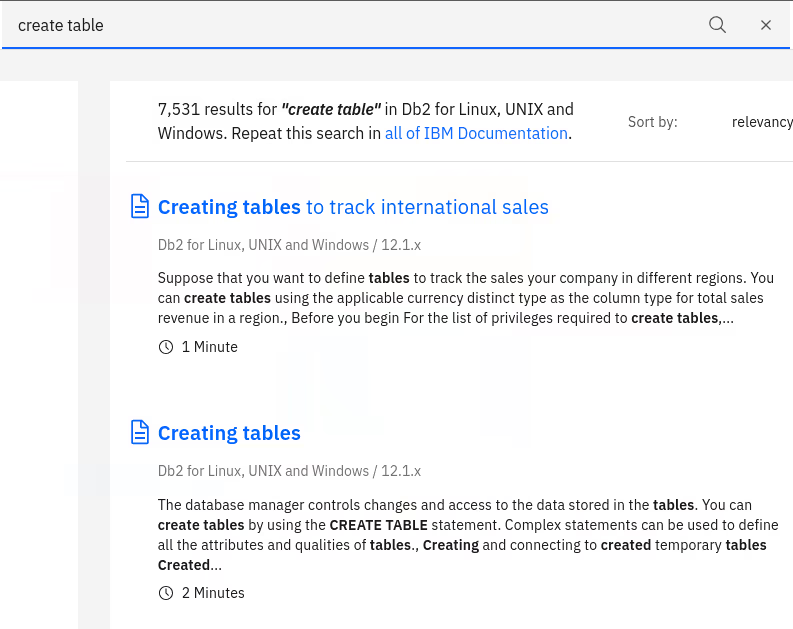
- By just typing the two words “create” and “table” as shown below first, there are about 7500 results.
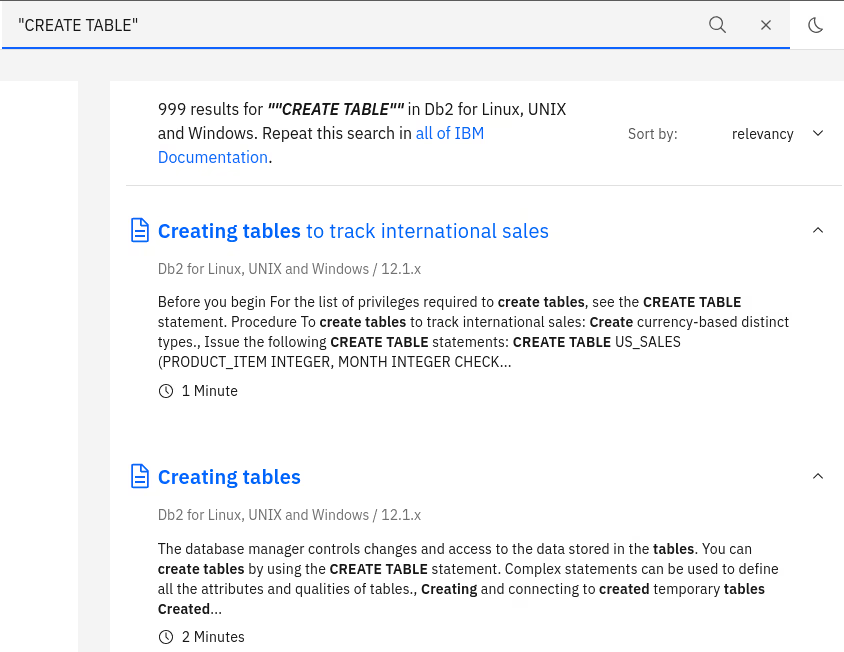
- Putting quotes around the words to denote that it is about that specific phrase (“create table” or “CREATE TABLE”), there are only about thousand results.
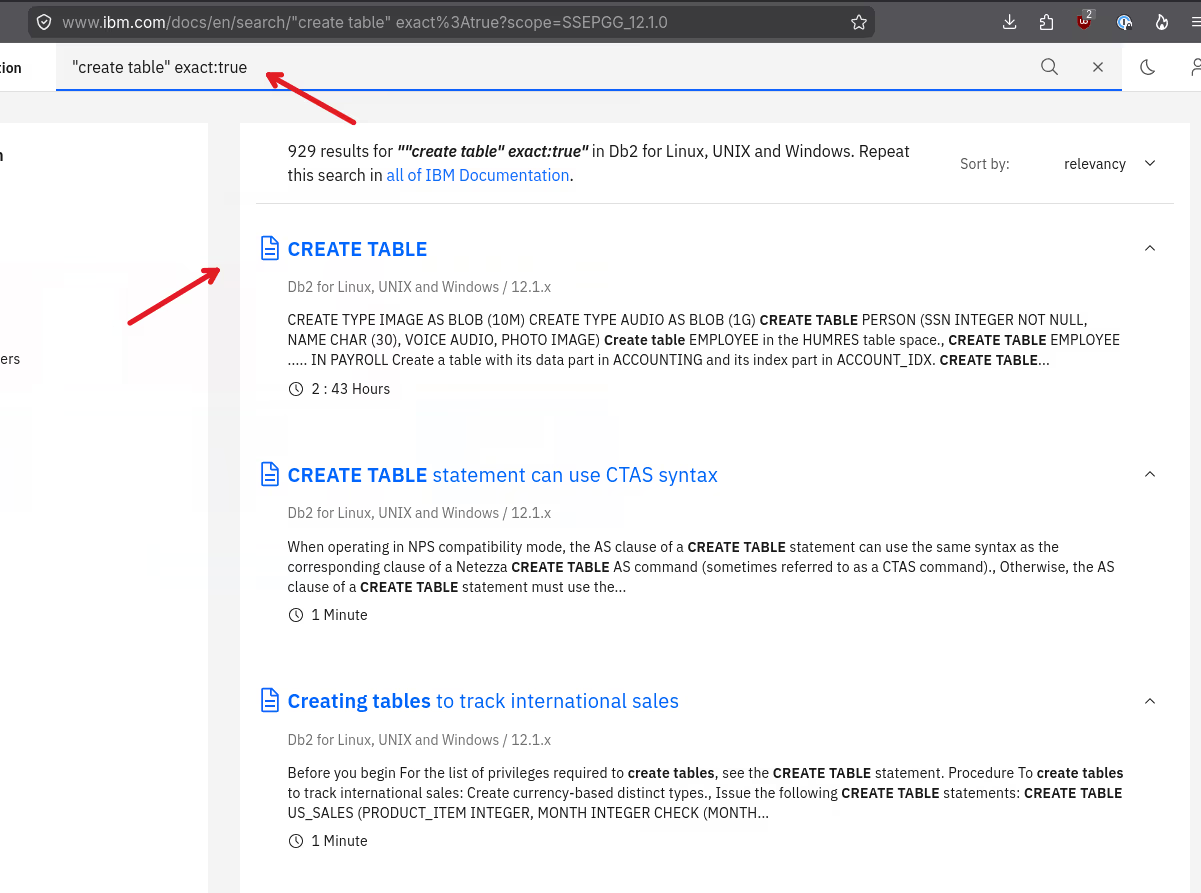
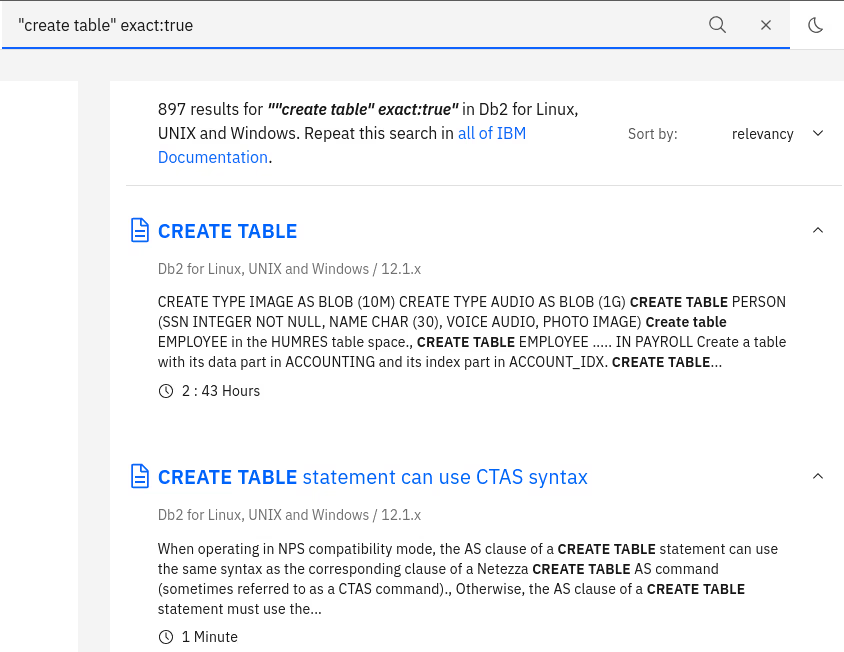
- Last, by additionally adding the argument “exact:true”, the relevancy changes and fewer documents are returned. Note that I couldn’t find documentation for the keyword “exact:true”, but found it by experimentation with arguments known from some fulltext search engines…
Results for search term without quotes:
Results with quotes around the phrase:
Results with additional keyword for exact matches:
Some more options
In my almost daily interactions with the IBM Documentation, I also came around and tested some more options.
- The keyword “intitle” can be used to scope the search to the title of a documentation page. I got mixed results and typically do not use it.
- It seems possible to prefix a search word or phrase with a plus sign (+) to give it higher relevance or force it to be in each resulting document. Using quotes IMHO gives better results.
- There is also a documented inurl search. See for yourself…
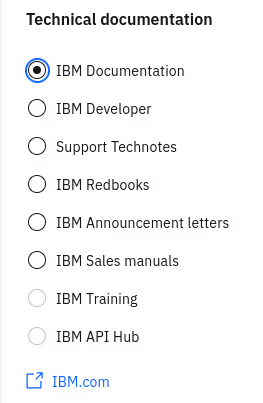
Last, there are two search options to search in a different document set.
- In the search results, you can toggle a different type of source for the results as shown below.
- There is an IBM-wide search page with filters for documentation and support pages. It works well when looking for product issues, not so much for documentation.
Conclusions
Great that you found my blog post in which I wrote about my “How to” on finding “stuff” inside the IBM Documentation. Sometimes, it’s the small things, the details that have a big impact.
If you have feedback, suggestions, or questions about this post, please reach out to me on Mastodon (@data_henrik@mastodon.social) or LinkedIn.
